Akil Mutawakkil.
CurrentlyAI Product Designer & Manager @ ChatDaddy
Based inBondowoso, Indonesia
ChatDaddy
Case study · ChatDaddy · 2026

Running out of credit, without surprises

Running out of credit mid-campaign is the worst way to find out about your balance. I designed a ladder of warnings that gets louder as the balance drops, so the full block is the last thing a team ever sees.

4levels of warning
11credit surfaces audited
15% / 5%warning and danger thresholds
0blocks without a warning first
Credit Warning Ladder
01

The problem

Credits pay for every message, flow and AI reply. Running out stops everything.

A team whose broadcast stops halfway, or whose AI replies go quiet, rarely blames their balance first; they blame the product. So the job was to make the balance impossible to miss, without nagging people who are nowhere near the limit.

I mapped every credit warning in the app, found 11, and put them in order from a quiet hint to a hard stop.

The rule: the closer the balance is to zero, the louder the warning, and every warning includes a way to fix it.

02

Low credit modal

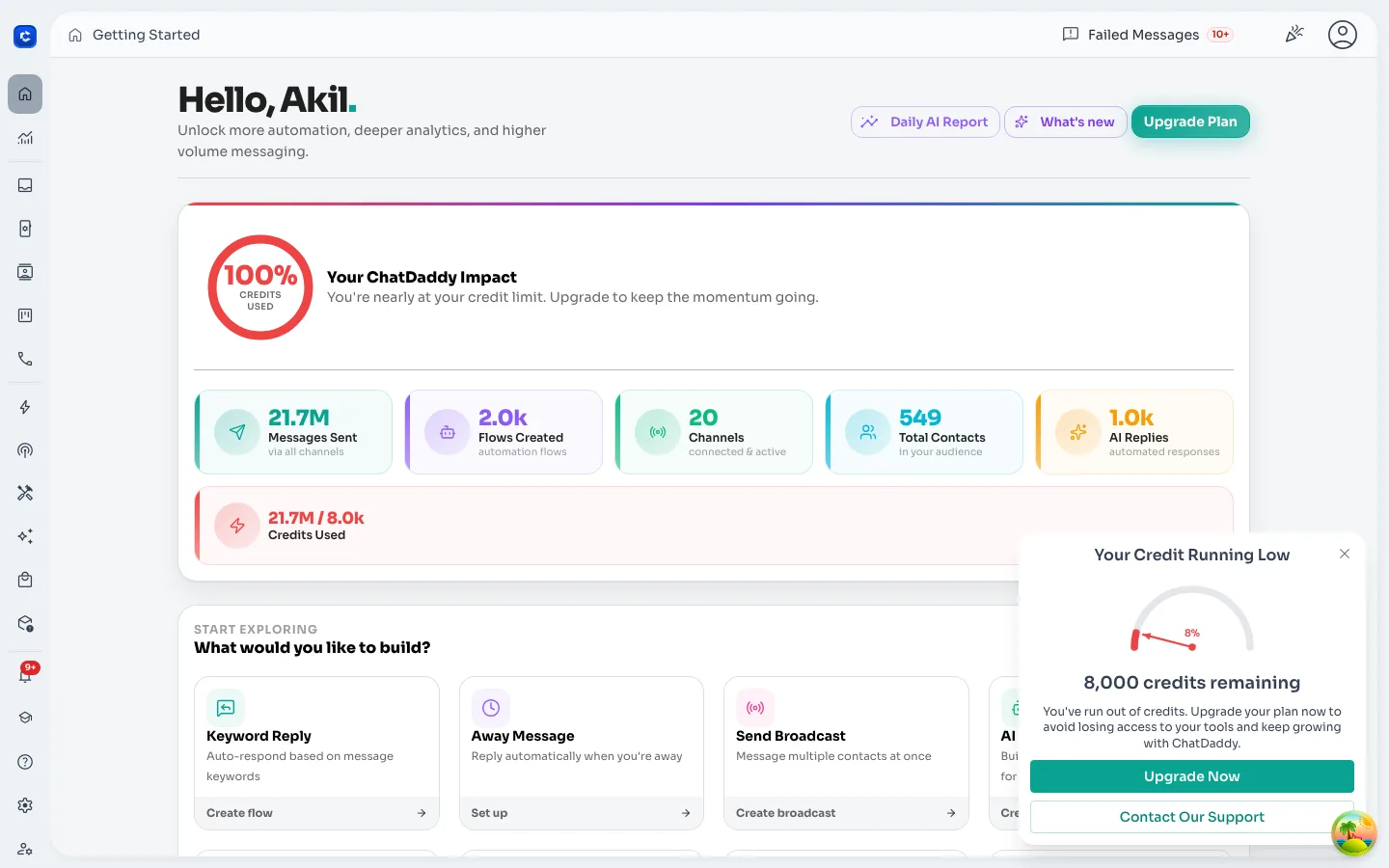
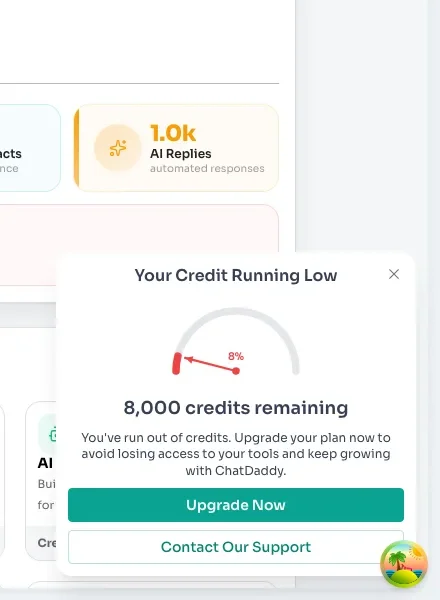
Level 1: a nudge at the threshold. When the balance drops below a set point (the larger of 10,000 credits or 10% of the last top-up), a small Your credit is running low card slides in. A gauge shows how much is left, with Upgrade now and Contact our support right below. Closing it snoozes it for a day, so it never becomes noise.

Credit running low: gauge, remaining balance and next steps
03

Banners & tooltips

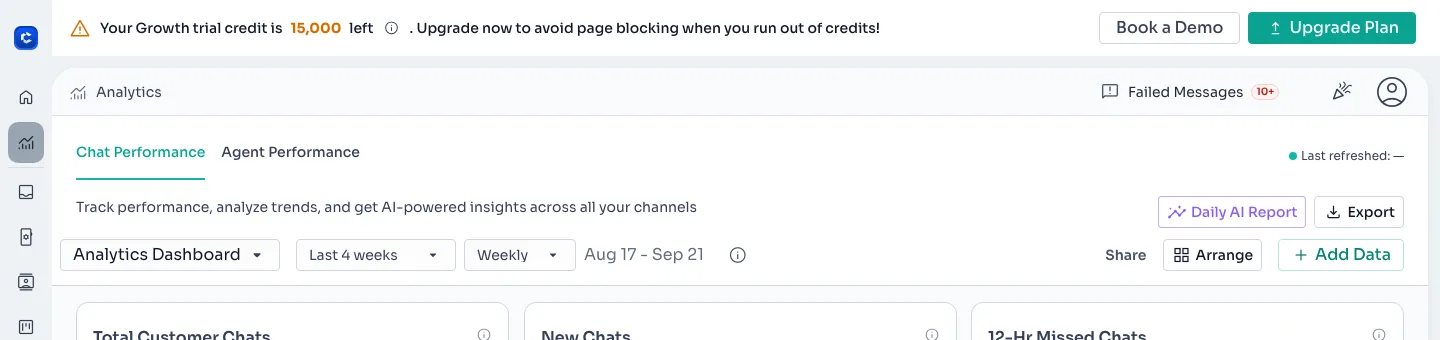
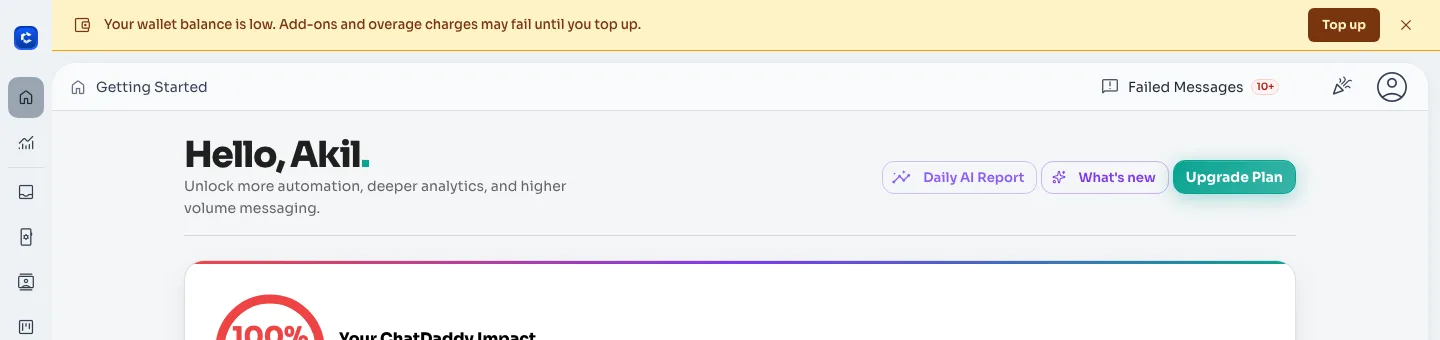
Level 2: always in view. Once the balance goes below a warning level, it shows up in the chrome of the app instead of as a pop-up. A counter in the top bar turns amber at 15% of the plan and red at 5%, with “Click to replenish” built in. Trial teams see a banner with their exact remaining trial credit, and a wallet banner flags when add-ons may stop.

Top-bar counter, amber: “4,200 credits left, click to replenish”
Top-bar counter, red: 400 credits left
Trial banner with the remaining trial credit and an upgrade button
Wallet-low banner: add-ons may stop until you top up
04

Before the action

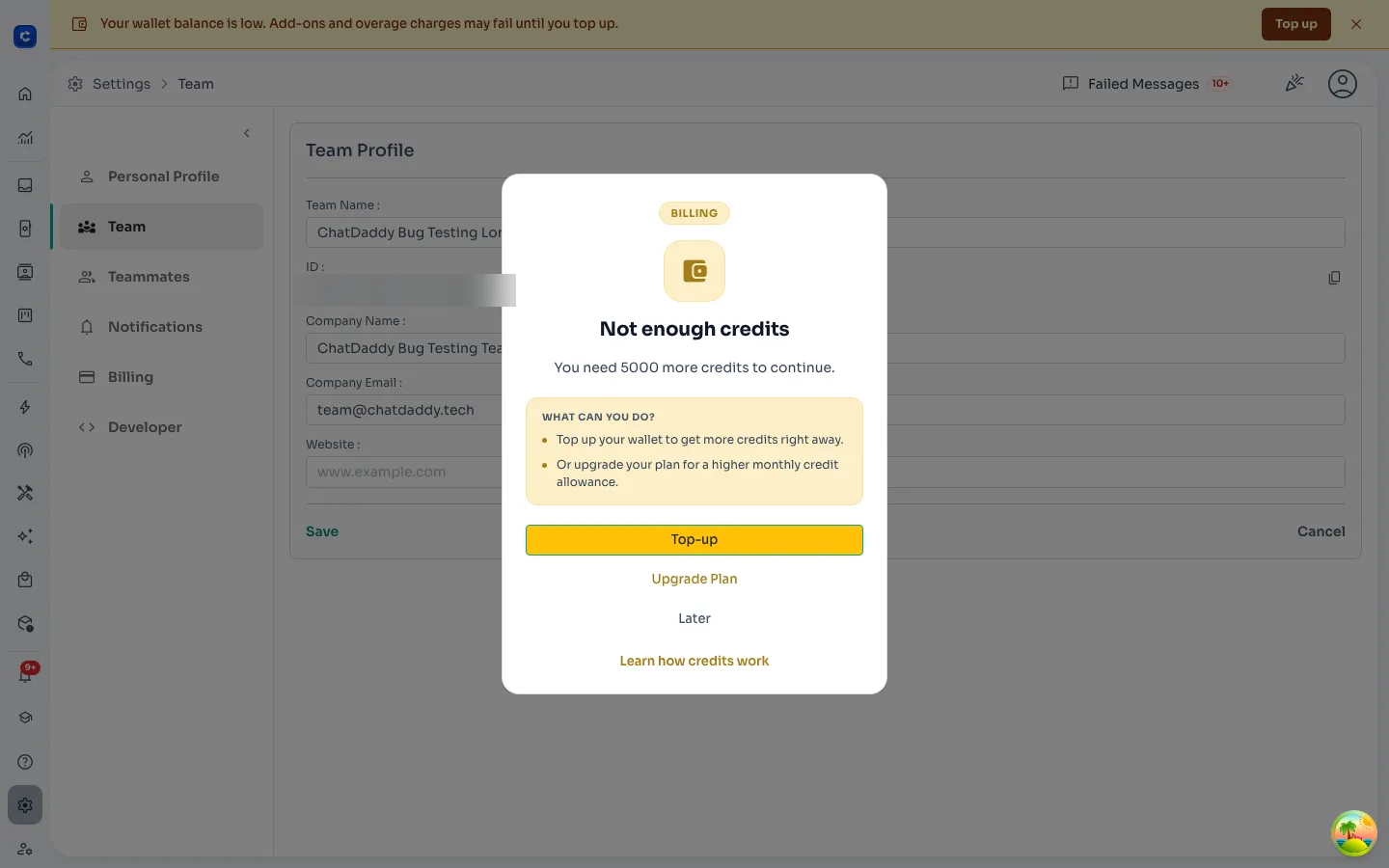
Level 3: check before doing the work. If an action needs more credits than the team has, a dialog explains it before anything is sent: “You need 5,000 more credits to continue.” Then it gives the options in order: Top-up, Upgrade plan or Later, with a link to how credits work.

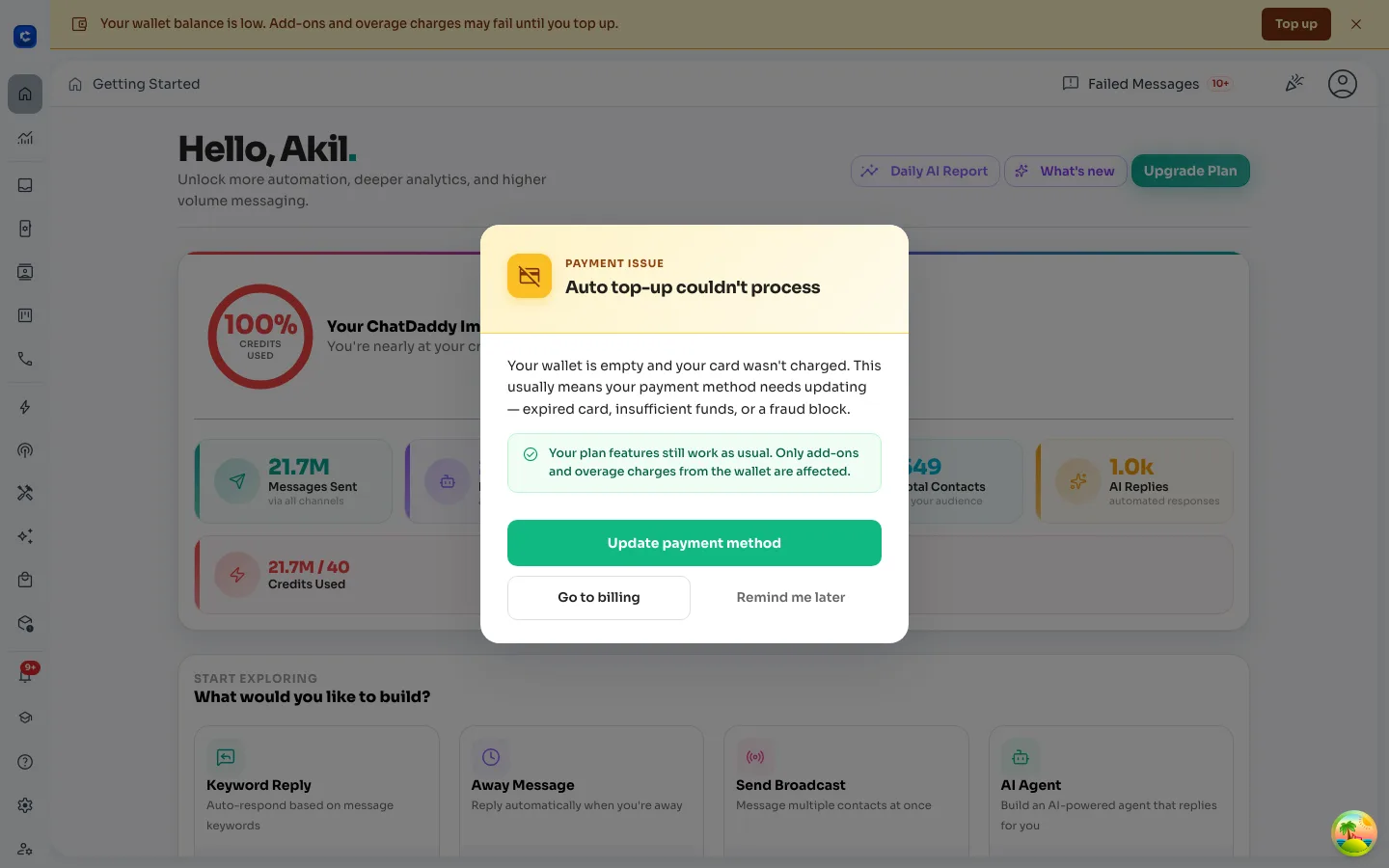
The same pattern covers payments that fail in the background. If auto top-up can’t charge the card, the team is told right away, reassured that their plan features still work, and pointed to Update payment method.

Not enough credits: what it costs and what to do, before anything is sent
Auto top-up couldn’t go through: what is affected, what still works, and the fix
05

Full-screen block

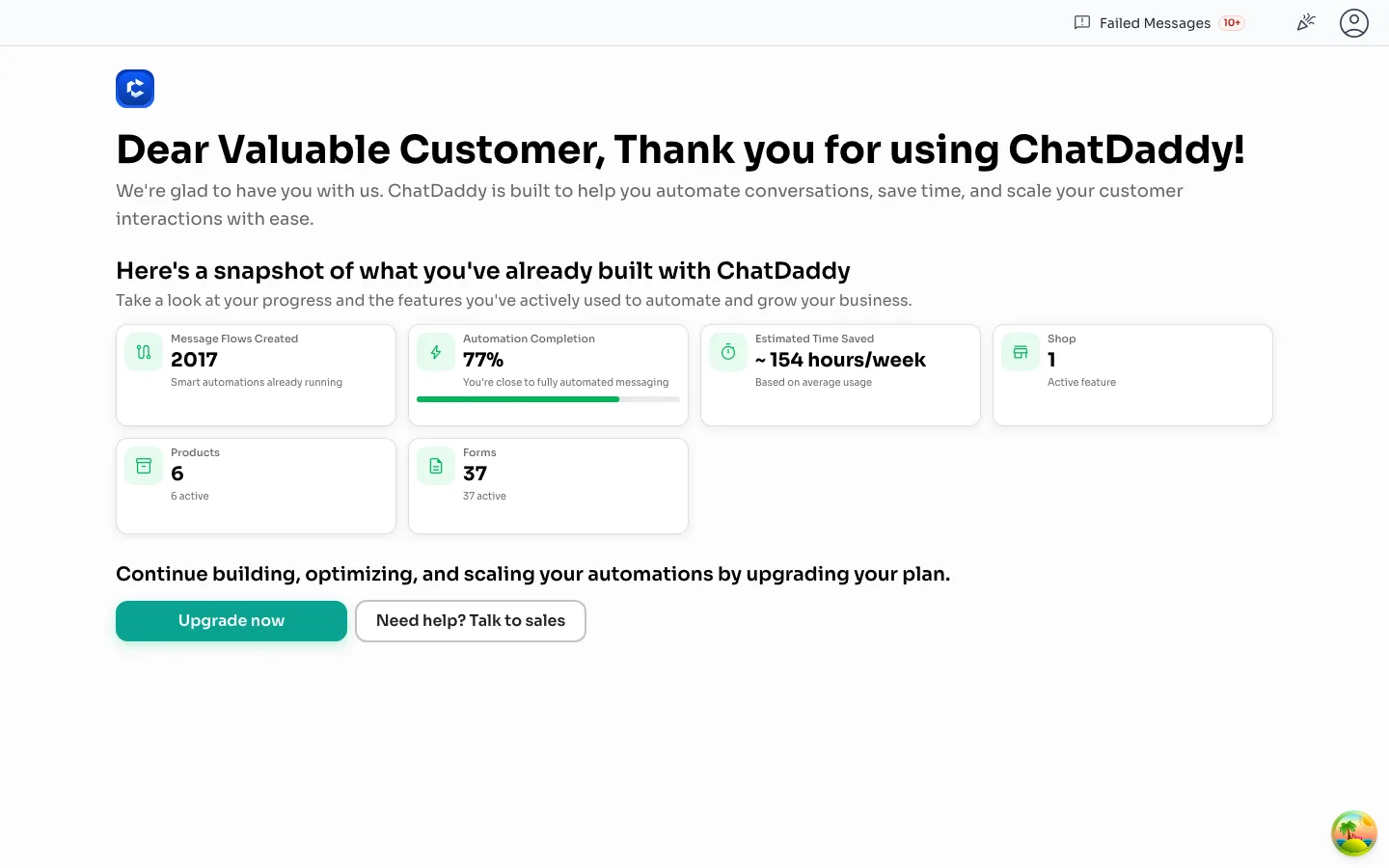
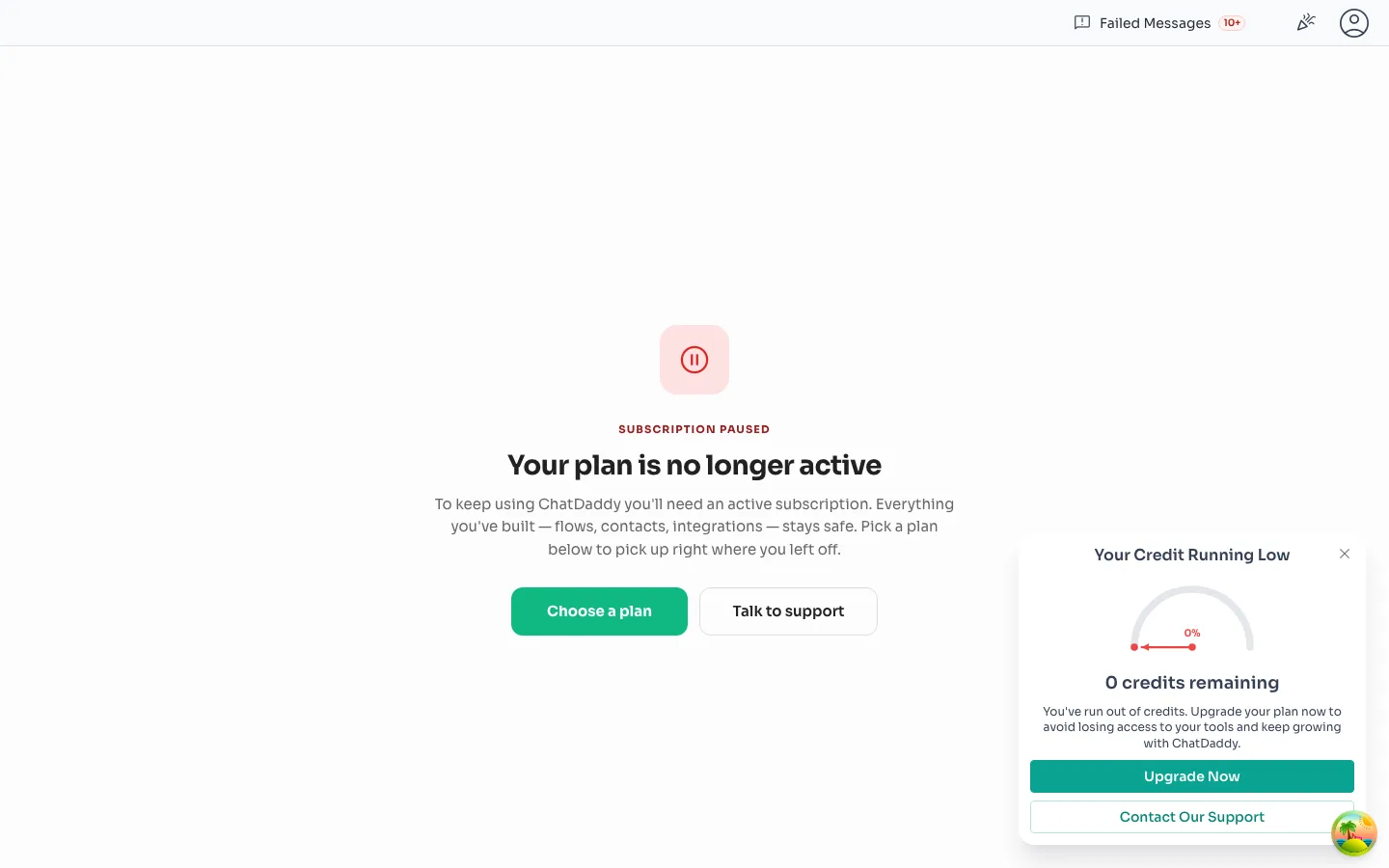
Level 4: the last resort. At zero credits, or when a plan lapses, the app stops at a full screen. Instead of a cold “access denied”, it shows what the team has already built (flows, automations, time saved) and states plainly that nothing is lost. The way back takes one click.

Zero credits: a recap of what the team built, then upgrade or talk to sales
Plan no longer active: everything stays safe, pick a plan to continue

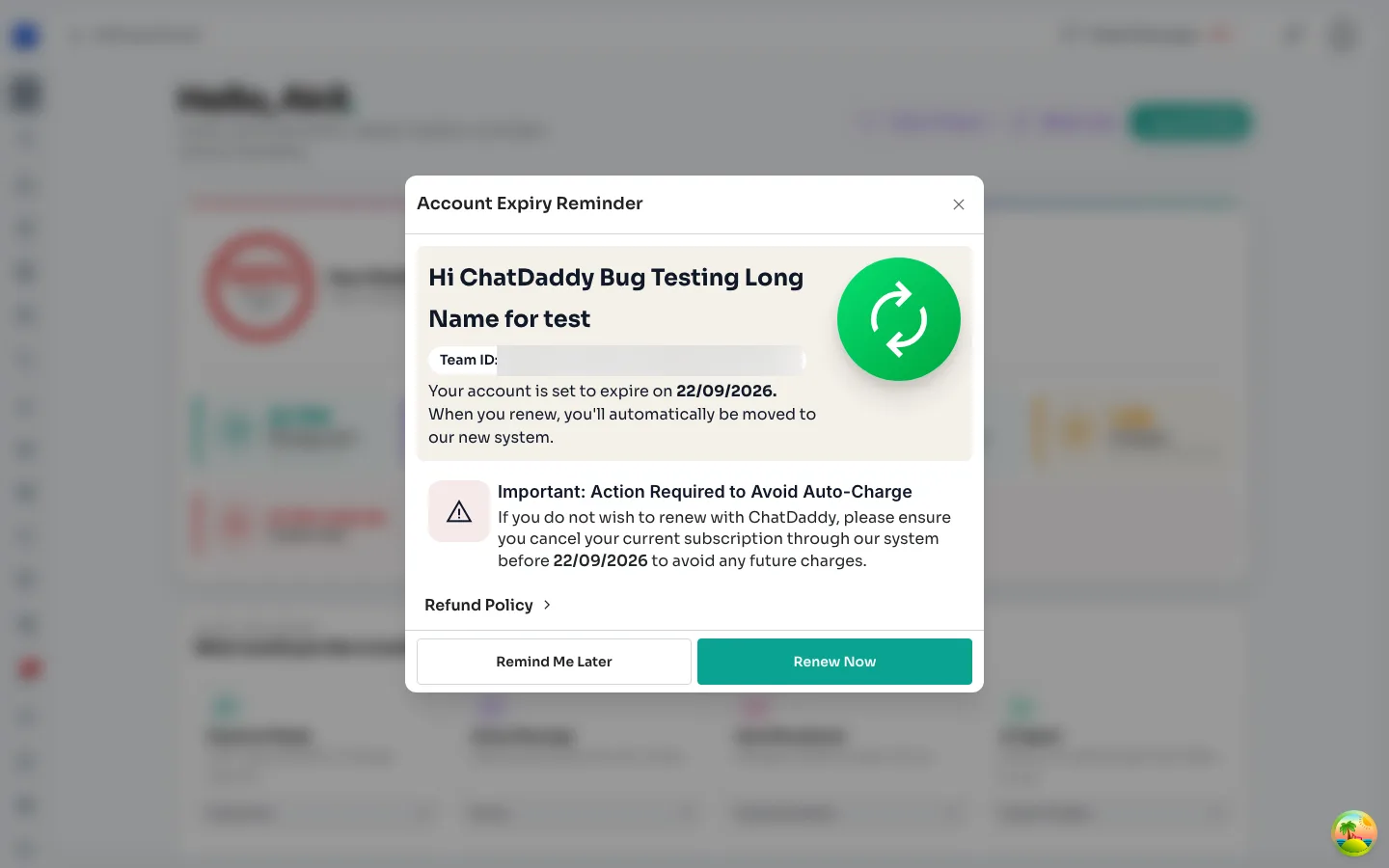
Renewals get a warning too. Fifteen days before an account expires, a reminder explains what happens on renewal and how to avoid an unwanted charge.

Account expiry reminder, 15 days ahead, with Renew now and Remind me later
06

The result

01

Gets louder step by step

A card, then the top bar, then a check before the action, then the block.
02

Always a way out

Every level includes top-up, upgrade or contact support.
03

Quiet when you’re fine

Snoozes, thresholds that scale with the plan, and nothing at all for healthy balances.
04

No lost work

Even the block screen says what is safe and how to pick up where you left off.
Got questions?

Let's build products
that actually think.

I’m always excited to collaborate on innovative and exciting projects.

Phone+62 852 2845 4057