WhatsApp’s API can’t show everything a customer sends, and it rejects some messages a business tries to send. I replaced vague errors like “Unsupported message type” with cards that tell agents what happened and what to do about it.
“Unsupported message type ‘location’” is not an explanation.
Some messages never reach the WhatsApp Business API: polls, View Once media, live location, edits and more. Some messages can’t be sent through it either. Agents were seeing raw system text, assuming ChatDaddy was broken, and opening support tickets for limits set by Meta.
01
Raw system text
Agents saw strings like Unsupported message type “location” with no context.
02
It looks like our bug
Most of these are Meta platform limits, but nothing in the UI said so.
03
No next step
Agents had no idea whether to wait, retry, or pick up the phone.
04
A rejection with no reason
Rejected OTP templates only said “Template rejected”, without naming the rule that was broken.
02
One card, four questions
Every error uses the same structure, so agents learn it once:
01
What is it?
A plain title and one sentence: “The customer shared a live, updating location.”
02
Why does it happen?
The honest cause, including when it’s Meta’s limit and not ours.
03
What can you do?
One or two concrete actions, like opening the WhatsApp Business app or asking for a normal pin.
04
Read more
A link to the matching help article for anyone who wants the details.
A badge (Poll, Edited, Live location, Not supported, Limit, Template only) names the case at a glance. Colour sets the tone: amber for something the customer sent that we can’t display, red for something you can’t send.
03
Quiet in the Inbox
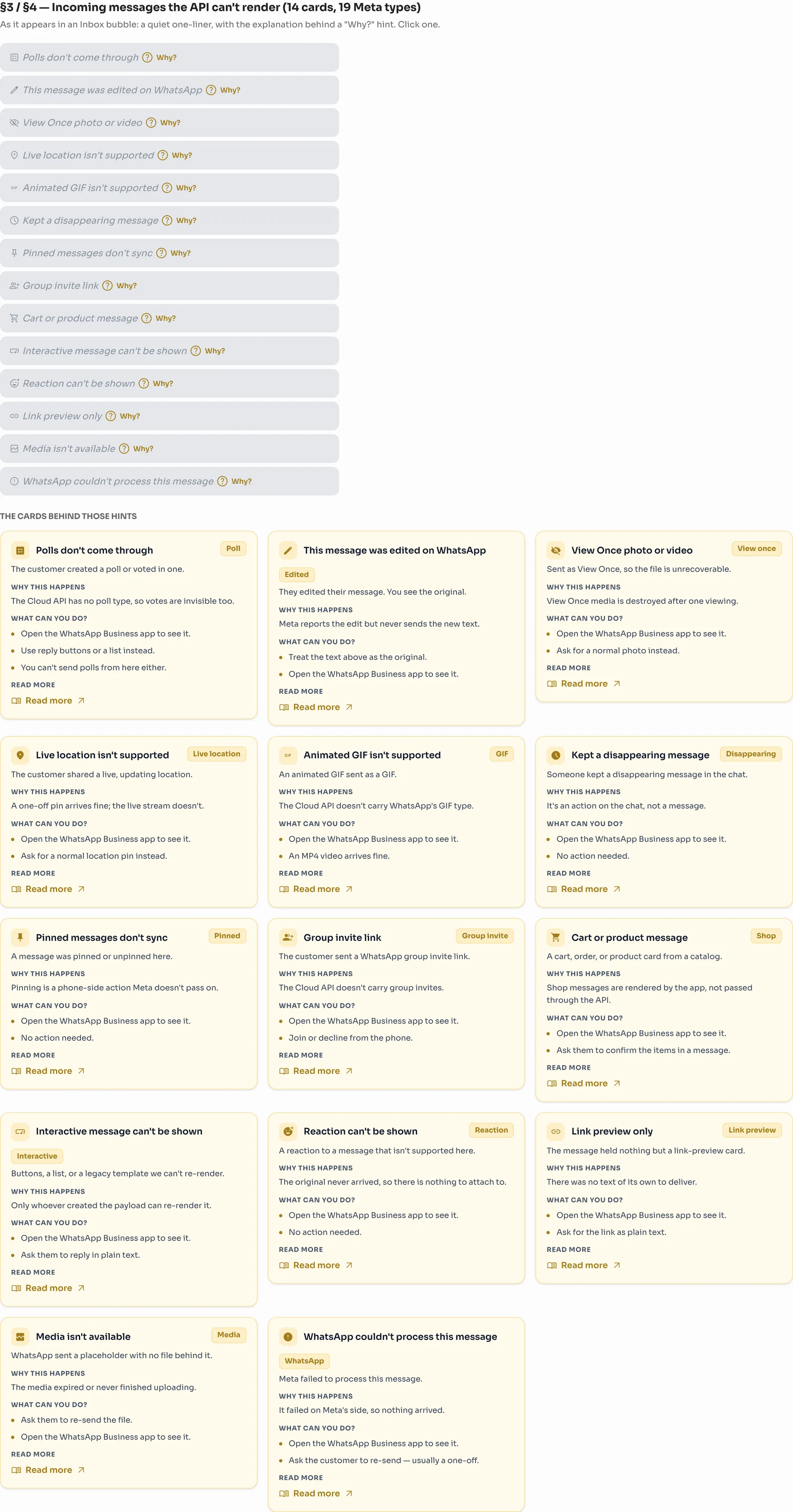
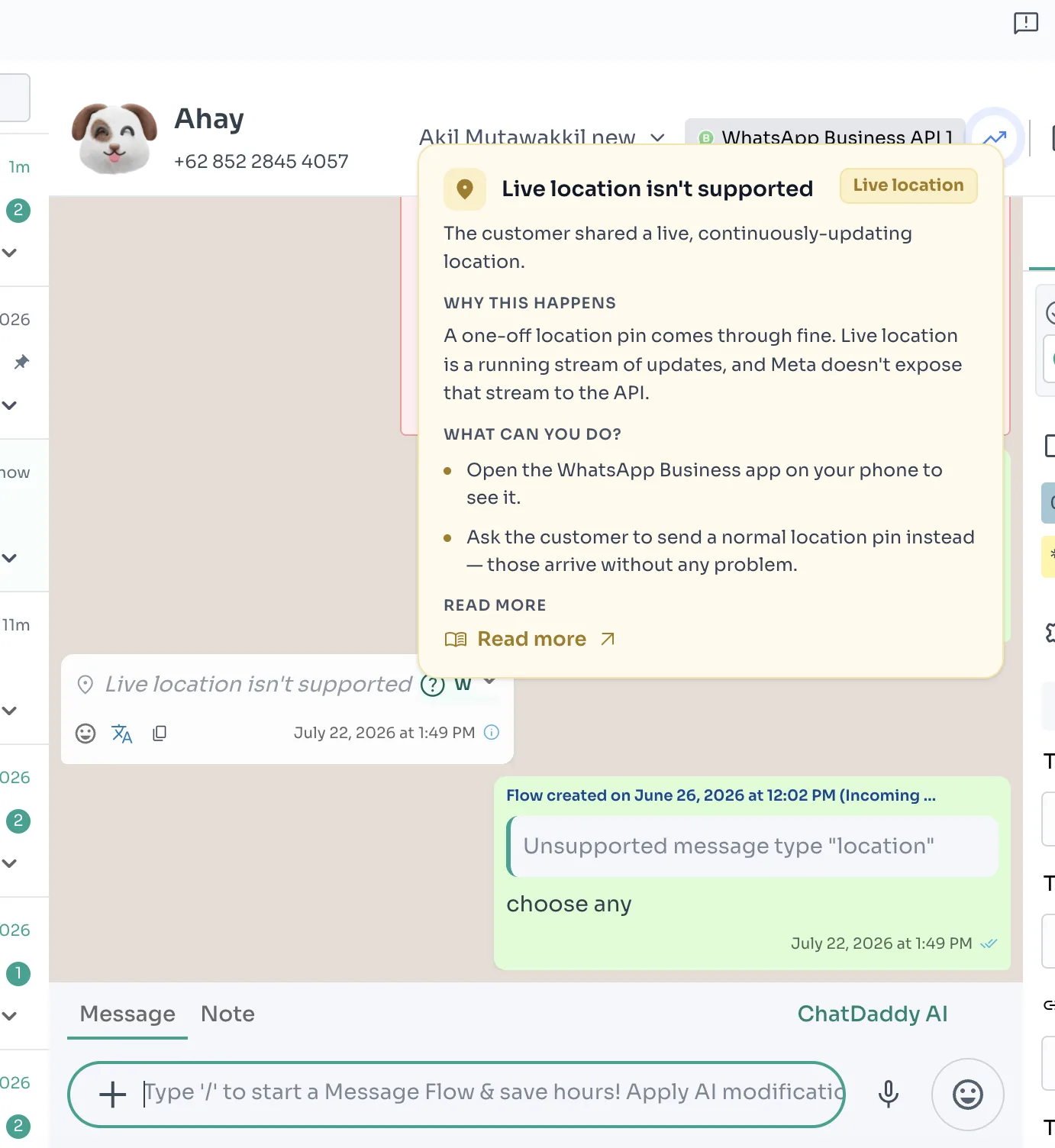
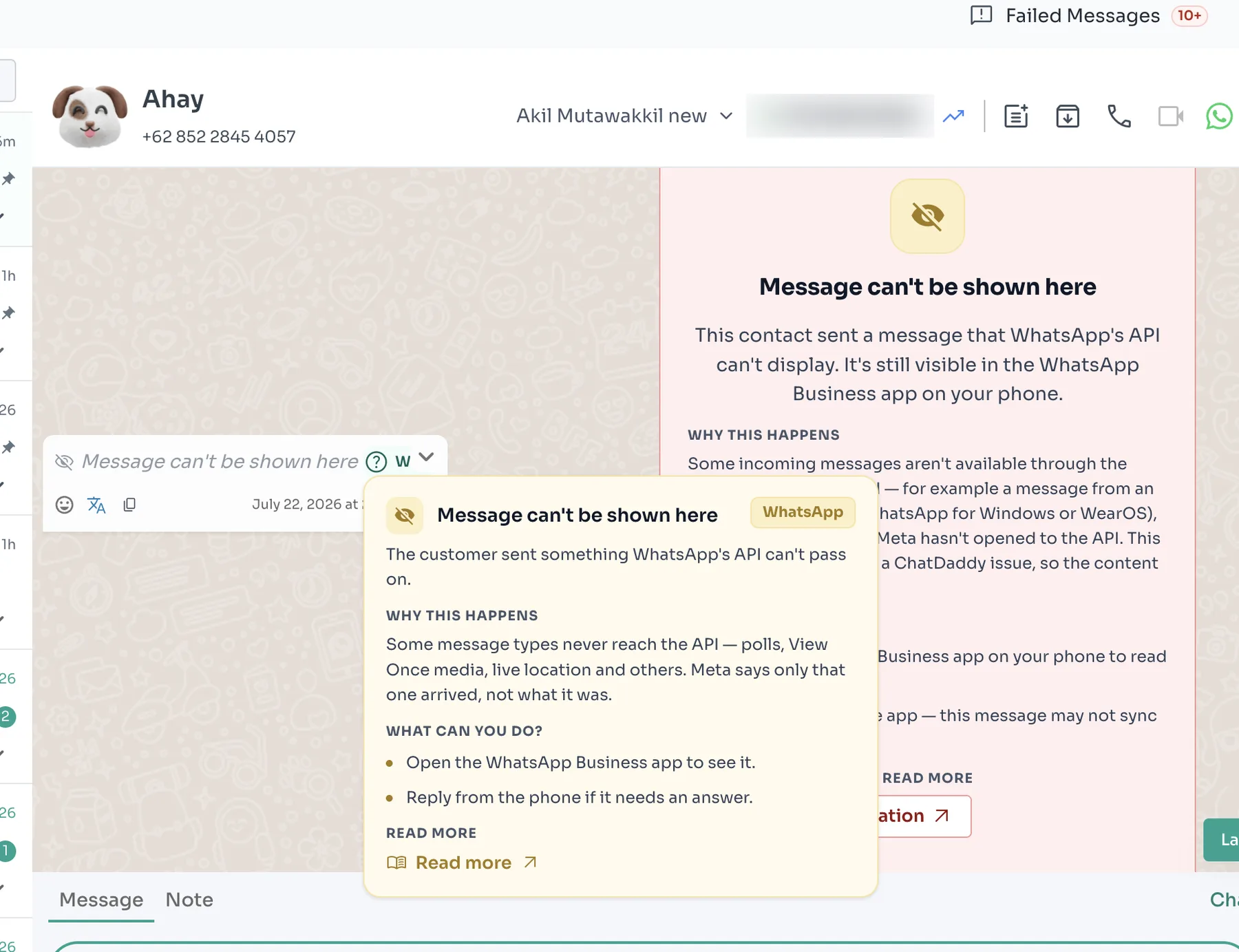
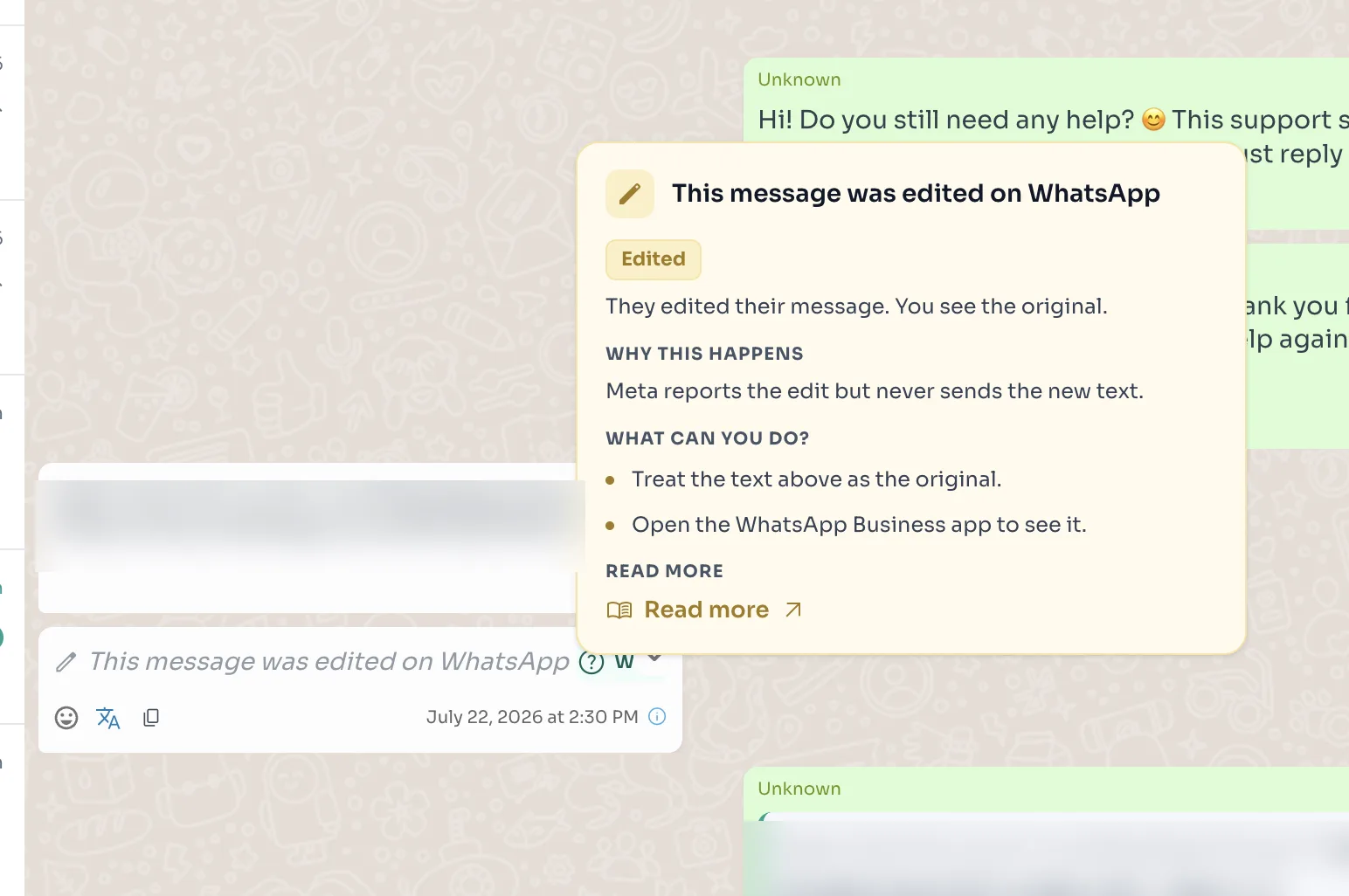
A chat full of full-size error cards would be unreadable, so in the Inbox the error stays a quiet one-line bubble in italics with a small Why? hint. Clicking the hint opens the full card on top of the chat.
Live location: a one-line bubble, with the full card behind Why?Edited on WhatsApp: you see the original text, and the card explains why
04
Incoming: 14 cards
Nineteen Meta message types are grouped into 14 cards: polls, edits, View Once, live location, GIFs, disappearing messages, pins, group invites, shop carts, interactive messages, reactions, link previews, missing media and processing failures.
The 14 incoming-message cards and how they appear in an Inbox bubble
05
Sending: limits & OTP
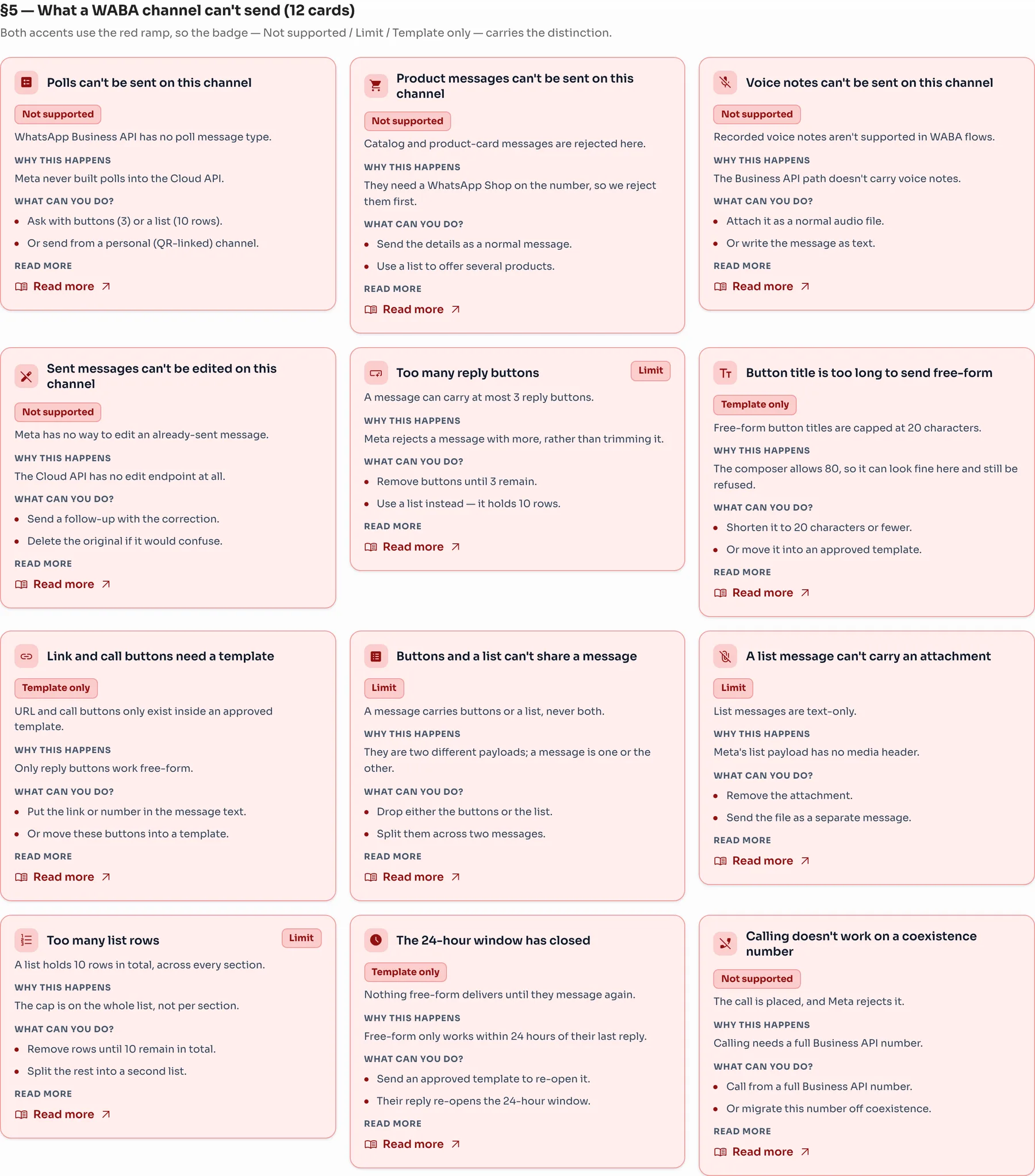
12 send limits. These cover what a WhatsApp Business API channel can’t send, such as polls, more than 3 reply buttons or list rows over 10, plus the 24-hour window. Since they all share the red colour, the badge carries the difference: Not supported, Limit or Template only.
Twelve WABA send-limit cards
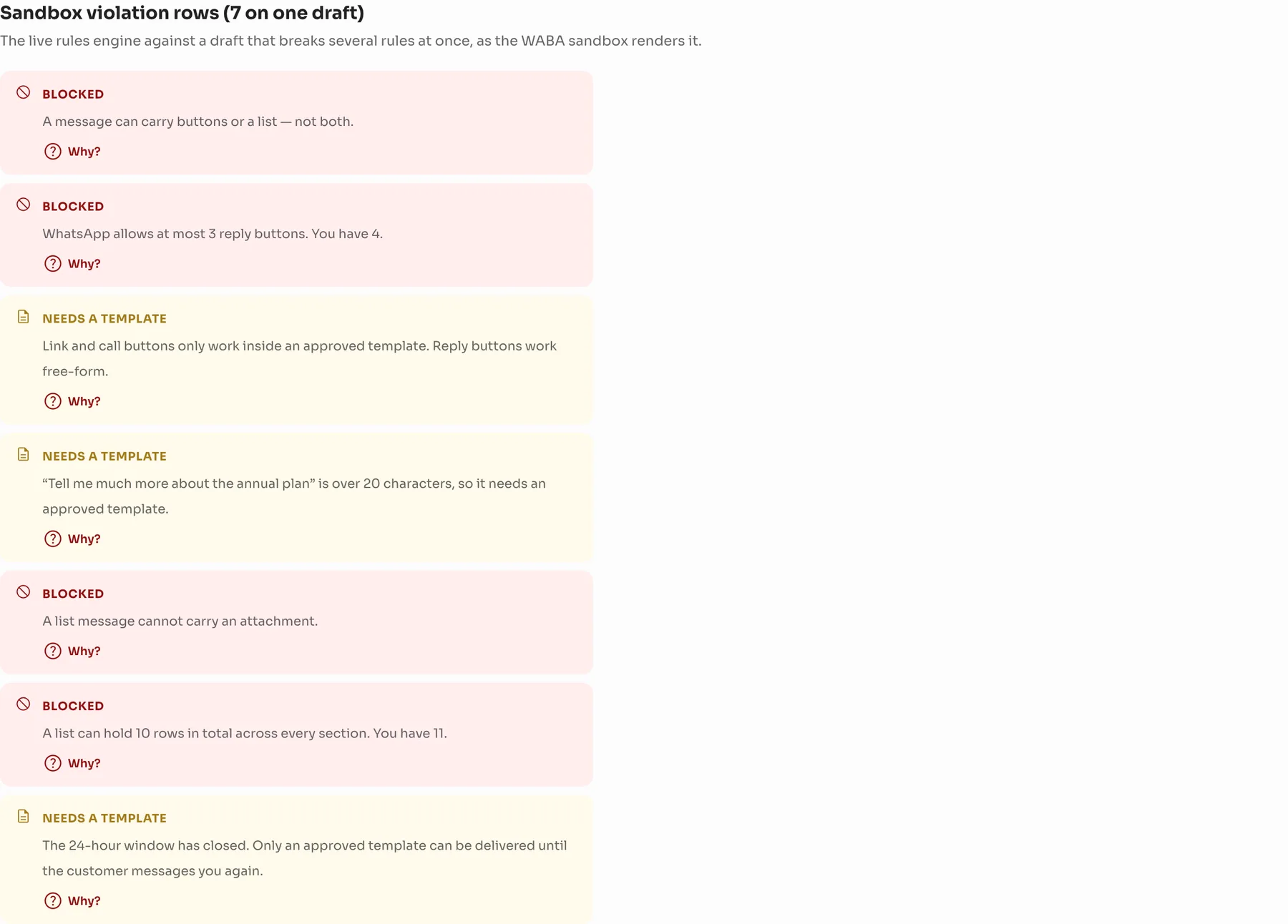
The same rules run live in the composer. A draft that breaks several rules lists each problem on its own row, each with a Why? link to its card, before Meta ever sees it.
Rule violations listed live on a single draft
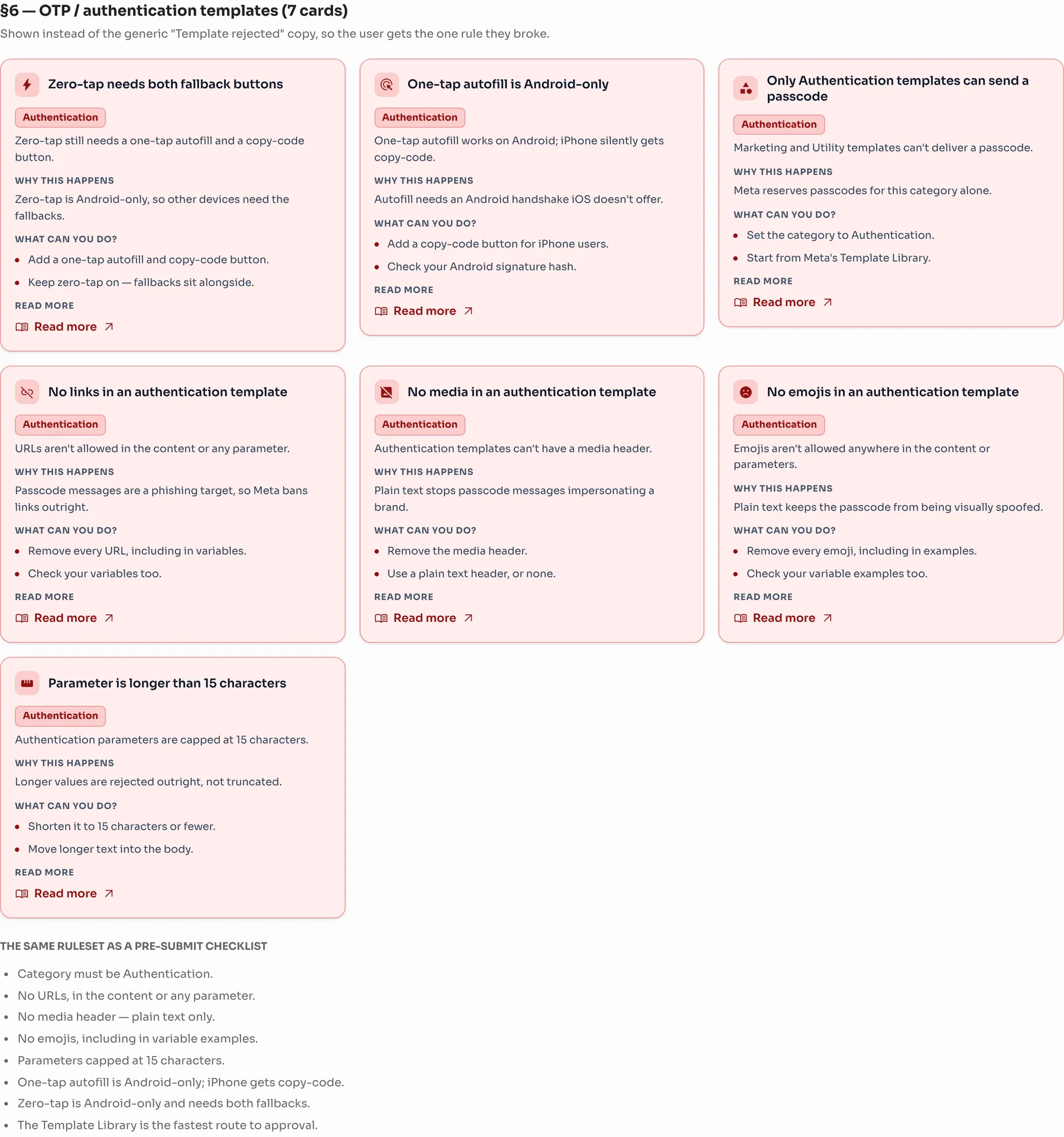
7 OTP template rules. When an authentication template is rejected, the user sees the one rule they broke instead of a generic “Template rejected”.
OTP and authentication template cards
06
The result
01
Fewer “is it broken?” tickets
The card says when a limit comes from Meta, and what the agent can do about it.
02
One pattern everywhere
The same four-part card in the Inbox, the composer, the Flow Builder and template review.
03
Calm by default
One line in the chat, with details one click away.
04
Caught before sending
Send limits are checked while drafting, not after a rejection.
Got questions?
Let's build products that actually think.
I’m always excited to collaborate on innovative and exciting projects.